Brake Rotor Health Checker
Select the symptoms you are experiencing with your vehicle's brakes to receive an instant assessment of your rotor health.
Diagnosis Result
You’re cruising down the highway, tap the brakes, and suddenly your steering wheel starts shaking like you’re driving over a washboard road. Or maybe you hear a deep, grinding groan every time you slow down at a stoplight. These aren’t just annoying quirks; they are your car screaming for help. Brake rotors are the metal discs that your brake pads clamp onto to stop your vehicle. When they wear out, warp, or crack, your stopping power drops and your safety is compromised. Knowing the signs of bad rotors can save you from a dangerous situation and an expensive repair bill later.
The Vibration Factor: Feeling It in Your Feet and Hands
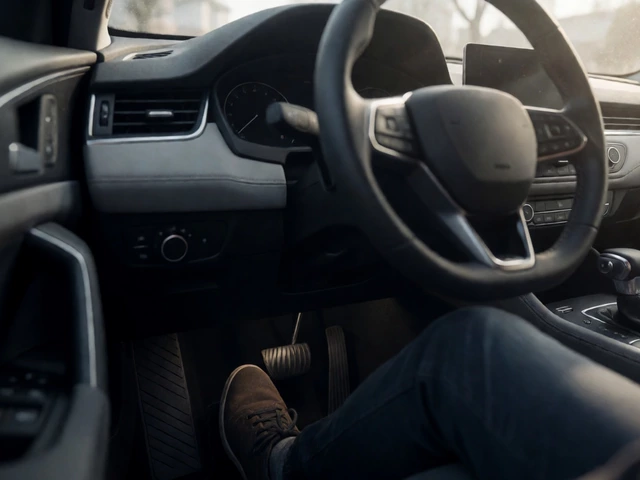
The most common complaint drivers have about failing rotors is vibration. But not all vibrations are created equal. If you feel a pulsation in the brake pedal when you press it, that’s usually a sign of front rotor issues. The uneven surface of the rotor pushes against the pad rhythmically as it spins, sending that pulse straight up through the hydraulic system to your foot. If the vibration is felt primarily in the steering wheel, it’s almost certainly the front rotors. Rear rotor problems often show up as a shudder in the seat or the whole car body, because the rear brakes don’t control steering direction.
Why does this happen? Over time, heat causes the metal to expand. If you slam on the brakes hard repeatedly, or if you drive with stuck calipers, the rotor gets hotter than it’s designed to handle. This leads to "hard spots" forming in the metal-areas where the crystal structure changes due to extreme heat. These spots are harder than the surrounding metal, so when the pad hits them, it doesn’t glide smoothly. Instead, it bounces. That bounce is the vibration you feel. Ignoring this means the rotor will eventually warp physically, becoming visibly bent rather than just having microscopic high spots.
Noise Complaints: Squealing, Grinding, and Clicking
Sounds are another major indicator. While some squeal is normal (especially with new pads or in cold weather), certain noises point directly to rotor trouble. A high-pitched metallic screech that persists even after you’ve released the brake pedal might mean the backing plate is touching the rotor, but more often, it indicates glazed rotors. Glazing happens when the surface becomes too smooth and shiny from overheating, reducing friction efficiency.
| Noise Type | Likely Cause | Rotor Condition |
|---|---|---|
| High-pitched squeal | Wear indicators or glazed surface | Surface glazing or minor scoring |
| Deep grinding/growling | Metal-on-metal contact | Severe scoring or minimum thickness reached |
| Clicking or clunking | Loose hardware or cracked rotor | Structural failure or loose mounting |
The sound you really need to worry about is grinding. This is the sound of the brake pad material wearing away completely, leaving the steel backing plate to scrape directly against the rotor. By the time you hear this, the rotor is already damaged. You’ll see deep circular grooves scored into the surface. Once these grooves get deep enough, resurfacing the rotor won’t fix it because there isn’t enough metal left to machine it flat again. At this stage, replacement is the only option.
Visual Inspection: What to Look For Under the Wheel
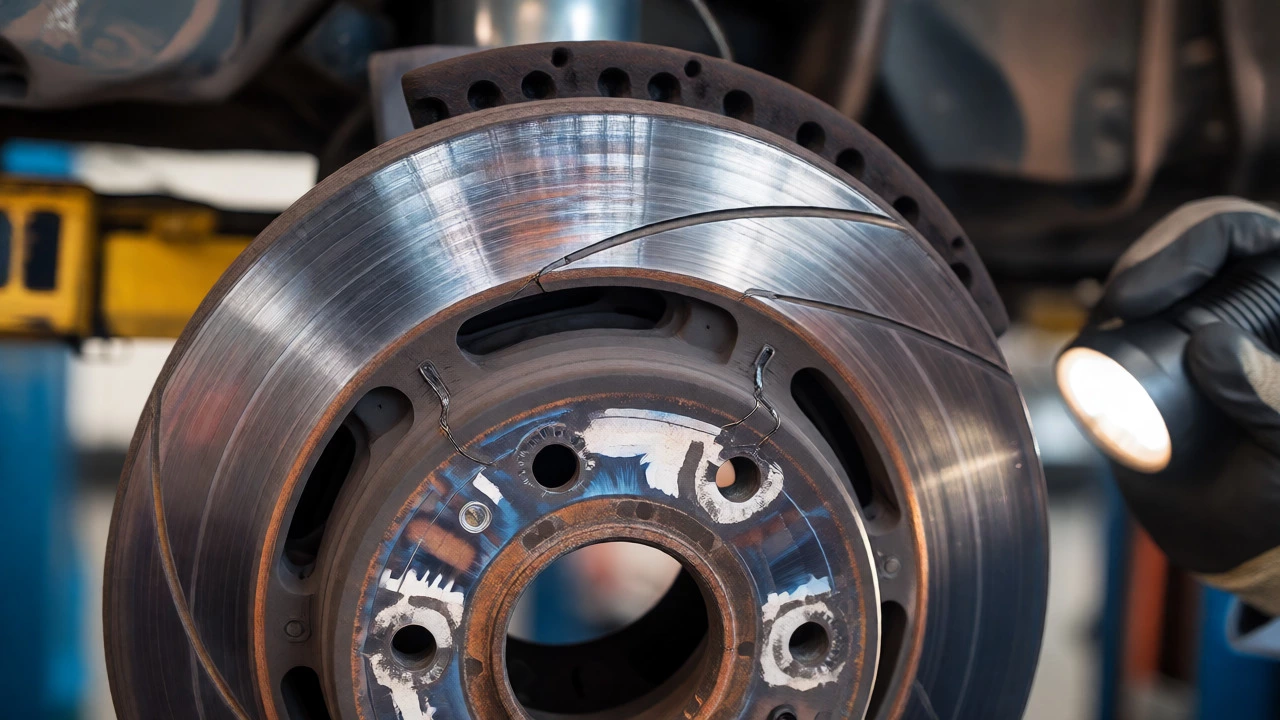
If you’re comfortable looking under your car, you can spot many rotor problems visually. First, look for rust. Surface rust is normal if the car has been sitting, but heavy, flaky rust indicates long-term neglect. More importantly, check for cracks. Small hairline cracks around the ventilation holes (the slots between the inner and outer disc faces) are common on older vehicles. However, if these cracks extend across the friction surface, the rotor is structurally compromised and could fail catastrophically under braking pressure.
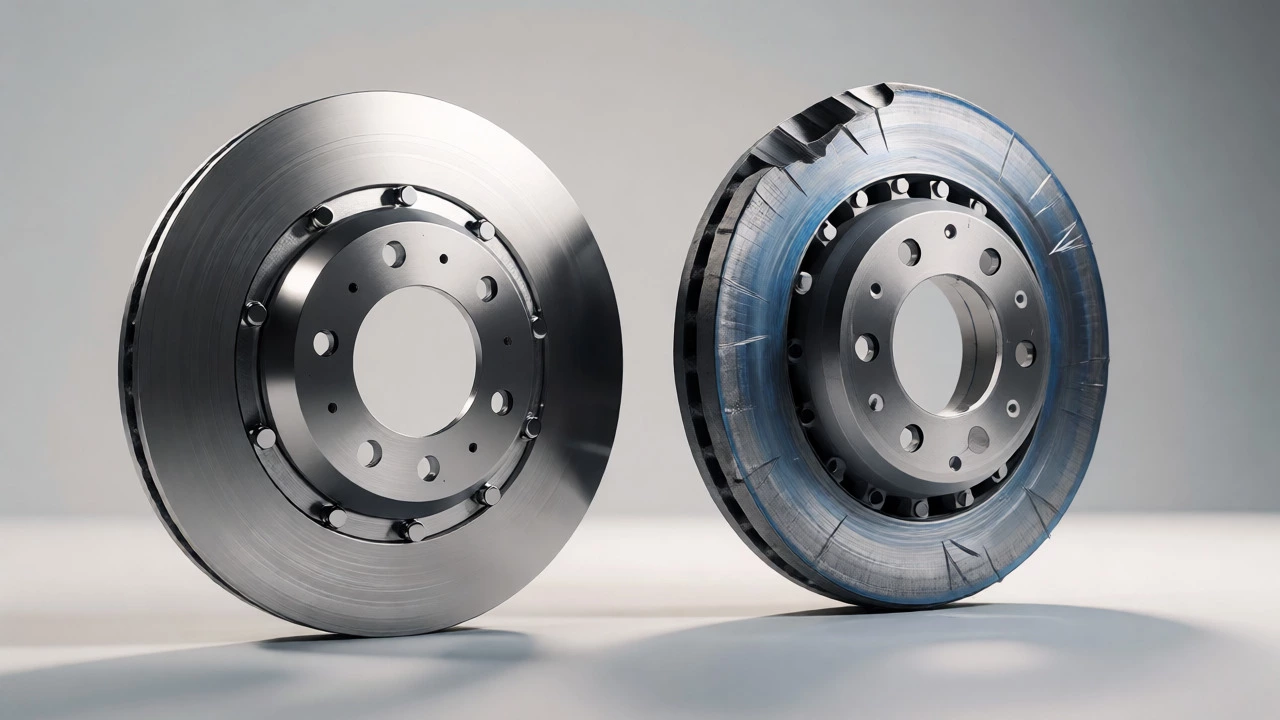
Another visual cue is color change. A healthy rotor is gray or silver. If you see blue or purple hues, that’s heat discoloration. It means the rotor has exceeded its optimal operating temperature range multiple times. While a little discoloration is okay, widespread bluing suggests chronic overheating, which shortens the life of both the rotor and the brake fluid. Also, look at the edge of the rotor. If you run your finger along the outer rim (when cool!), you might feel a distinct lip or ridge. This is called a "lip" formed by wear. As the rotor wears down, the center stays thinner than the edges. If this lip is significant, the rotor has likely passed its minimum thickness specification.
Performance Issues: Pulling and Soft Pedals
Beyond noise and vibration, pay attention to how the car behaves. Does your car pull to one side when you brake? This often points to a problem with one specific rotor. Maybe one rotor is warped while the other is fine, creating uneven braking force. Or perhaps one caliper is sticking, causing excessive heat and warping on that side alone. Uneven rotor wear is a classic cause of pulling.
A spongy or soft brake pedal can also be linked to rotors, though it’s often confused with air in the lines. If the rotors are severely warped, the pistons in the calipers have to travel further to make contact, which can create a feeling of lost pedal travel initially. Additionally, if the rotors are excessively hot, they can transfer heat to the brake fluid, causing it to boil. Boiling fluid creates gas bubbles, which compress, leading to that scary soft pedal sensation.
When to Resurface vs. Replace
So, you’ve identified bad rotors. Do you replace them or machine them? In the past, resurfacing was standard practice. Today, most mechanics recommend replacement for several reasons. Modern rotors are lighter and thinner to improve fuel economy and handling. They simply don’t have enough extra material to be machined safely more than once, if at all. Every time you resurface a rotor, you remove metal, making it thinner and more prone to future warping.
- Resurface if: The rotor is thick enough, has only minor scoring, and no structural cracks. This is rare on modern cars.
- Replace if: The rotor is below minimum thickness, has deep grooves, shows heat discoloration, or has visible cracks. Replacement is safer and often comparable in cost to labor-intensive machining.
Always replace rotors in pairs (both fronts or both rears). Replacing just one creates uneven braking bias and can confuse stability control systems. Pairing new rotors with new brake pads ensures proper bedding-in and maximum performance.
Frequently Asked Questions
Can I drive with bad rotors?
You can technically drive with slightly worn rotors, but it's risky. If you feel vibration or hear grinding, limit your speed and avoid heavy braking. Severe warping or cracking can lead to loss of braking control, so immediate inspection is recommended.
How long do brake rotors last?
Most rotors last between 30,000 and 70,000 miles. Factors like driving style, climate, and vehicle weight heavily influence lifespan. Aggressive braking and city driving shorten their life significantly compared to highway cruising.
Do I always need to replace rotors with pads?
Not always, but it's often best practice. If rotors are within thickness specs and smooth, you can reuse them. However, if they are near minimum thickness or show any warping, replacing them with new pads prevents premature pad wear and ensures safe stopping.
What causes rotors to warp?
Warping is usually caused by excessive heat followed by rapid cooling. Slamming on brakes from high speeds, dragging brakes due to stuck calipers, or parking on a hot rotor after heavy use can all contribute to thermal stress and distortion.
Is it cheaper to resurface or replace rotors?
Parts costs for new rotors have dropped significantly, making replacement often cheaper than the labor required to remove, machine, and reinstall old ones. Plus, new rotors come with warranties, whereas resurfaced parts typically do not.